Lesson 1: Avatar AI - Step by Step
Learn to create AI avatars using ElevenLabs for social media marketing. Step-by-step guide to mastering this skill.
This article contains affiliate links. We may earn a commission at no extra cost to you when you use them.
Lesson 1: AI Avatar - Step by Step
In this lesson, you’ll learn how to create your own AI avatar for producing various types of marketing content on social media. The tool we’ll be using is ElevenLabs, a platform for generating realistic voice recordings, videos, photos, and the aforementioned AI avatars. The platform itself offers much more, and I recommend exploring their full range of features.
Step 1
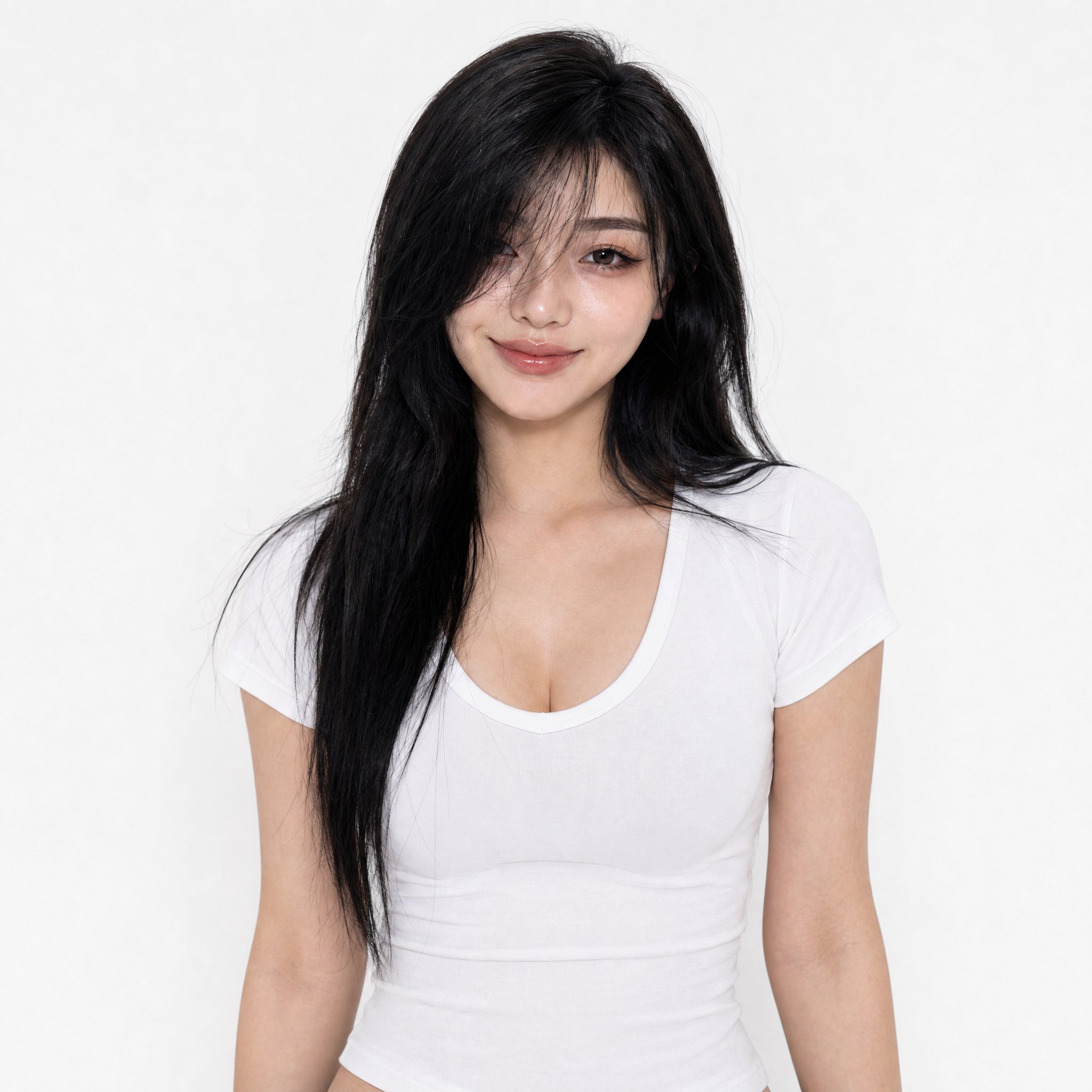
Let’s start by creating a reference photo.
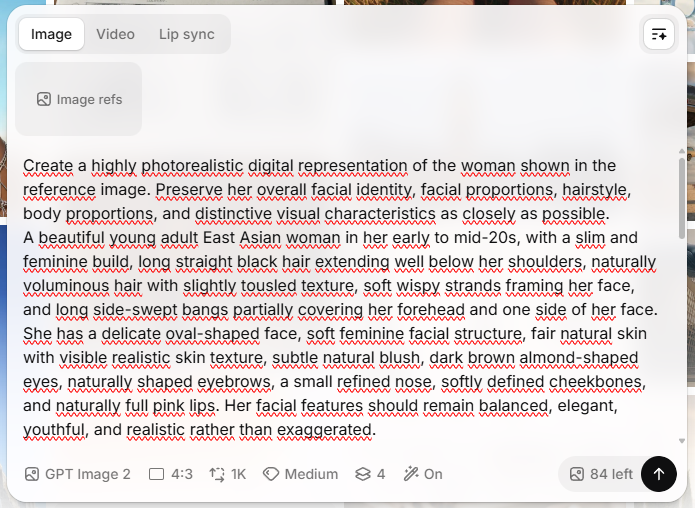
Prompt: Create a highly photorealistic digital representation of the woman shown in the reference image. Preserve her overall facial identity, facial proportions, hairstyle, body proportions, and distinctive visual characteristics as closely as possible. A beautiful young East Asian woman in her early to mid-20s, with a slim and feminine build, long straight black hair extending well below her shoulders, naturally voluminous hair with a slightly tousled texture, soft wispy strands framing her face, and long side-swept bangs partially covering her forehead and one side of her face. She has a delicate oval-shaped face, soft, feminine facial features, fair natural skin with visible, realistic skin texture, a subtle natural blush, dark brown almond-shaped eyes, naturally shaped eyebrows, a small, refined nose, softly defined cheekbones, and naturally full pink lips. Her facial features should remain balanced, elegant, youthful, and realistic rather than exaggerated. She has a subtle, warm, and confident closed-mouth smile, with a relaxed and approachable expression. Her gaze is directed naturally toward the camera. She is wearing a simple, fitted white short-sleeve scoop-neck T-shirt with a realistic cotton fabric texture. She has natural, feminine body proportions, a slim waist, relaxed shoulders, and natural posture. Photography: professional commercial studio portrait photography, eye-level camera, straight-on composition, upper-body framing from approximately the waist upward, subject centered in the frame, natural perspective, approximately 85mm portrait lens, subtle depth of field. Lighting: large softbox lighting, soft diffused illumination, evenly exposed face and body, gentle natural shadows, realistic highlights in the eyes and hair, no harsh shadows. Background: a completely clean, minimalist white studio background with a very subtle neutral gradient; no objects, no furniture, and no decorations. Visual quality: Extremely photorealistic, lifelike human appearance; realistic skin pores; fine facial details; individual strands of hair; realistic eyes with natural reflections; authentic fabric texture; physically accurate lighting; natural anatomy; realistic proportions; high dynamic range; professional fashion photography; premium commercial photography; ultra-detailed; 8K-quality appearance. The final image must look like an authentic photograph taken with a professional full-frame camera - not an illustration, CGI render, 3D character, or an obviously AI-generated person.
Negative Prompt: cartoon, anime, illustration, painting, CGI, 3D render, artificial-looking face, plastic skin, overly smooth skin, excessive beauty retouching, exaggerated facial features, unrealistic eyes, asymmetrical eyes, distorted face, deformed anatomy, unnatural body proportions, extra fingers, extra limbs, malformed hands, blurry, low resolution, oversharpened, excessive makeup, unnatural hair, fake skin texture, oversaturated colors, harsh lighting, dramatic shadows, background objects, text, watermark, logo, artifacts, AI-generated appearance
Go to the ElevenLabs website; after logging in, you’ll see the home page. On the left side of the page, in the menu, select the “Image & Video” option.
- Image
- Enter your prompt
- Engine (I recommend GPT Image 2 or Nano Banana 2)
- Aspect Ratio (I recommend 4:3)
- Resolution: 1K
- Quality (Medium is sufficient)
- Number of generated images (4 by default)
- Set to “On” for a weak prompt. Set to “Off” for a good prompt.
Step 2
Now let’s create a complete set of reference photos; it must include the model from every angle against a neutral background. ElevenLabs will be a big help here—go to the homepage and select “Templates” from the left-hand menu.
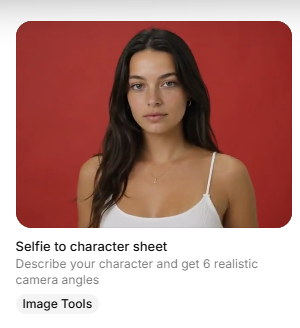
Then, from the “All templates” section, select “Selfie to character sheet.”
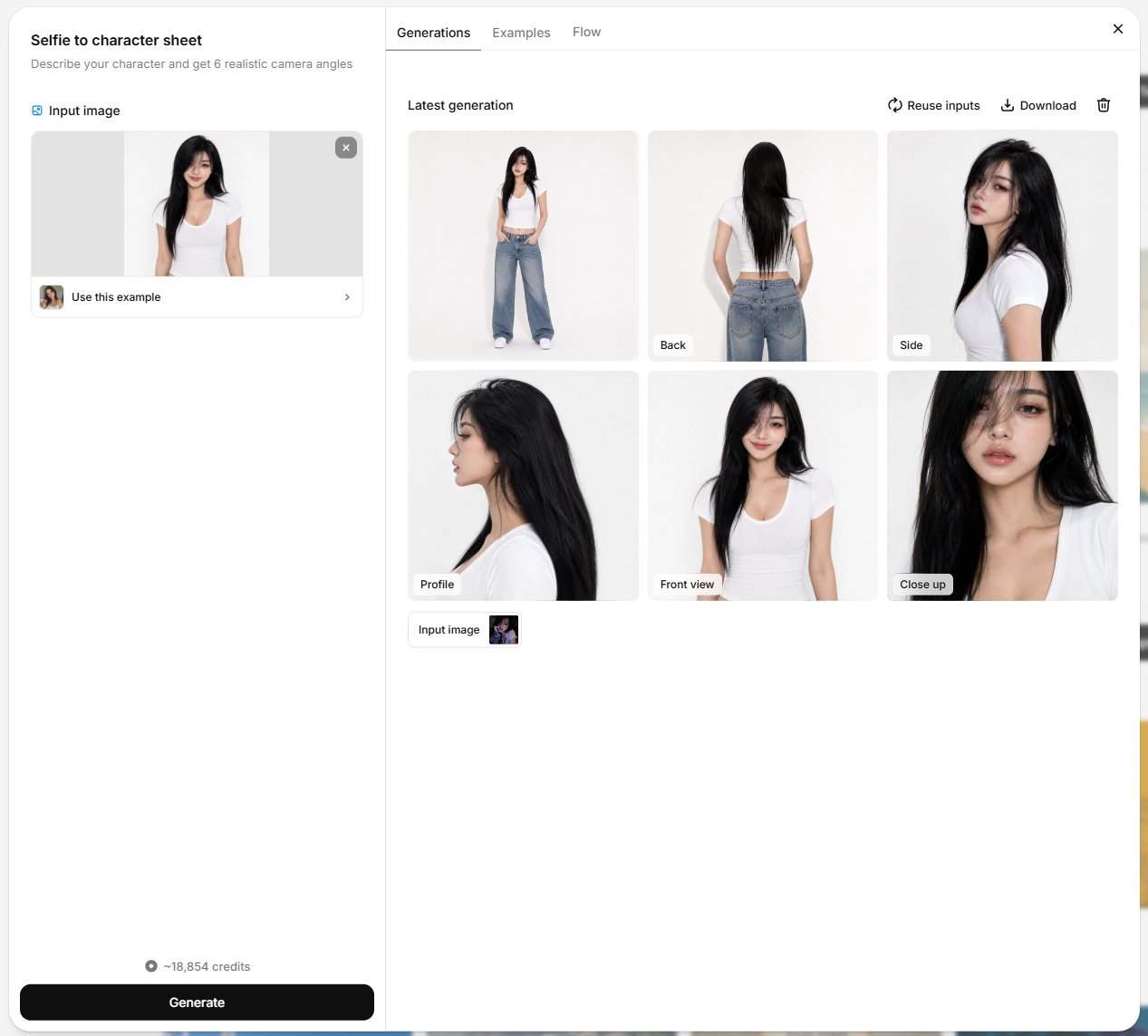
With this option, the single photo we generated will be more than enough. The AI does the work for you. After a moment, you’ll get 6 reference photos of your model.
Step 3
Go to the ElevenLabs homepage, and in the menu on the left side of the page, select “Image & Video.”
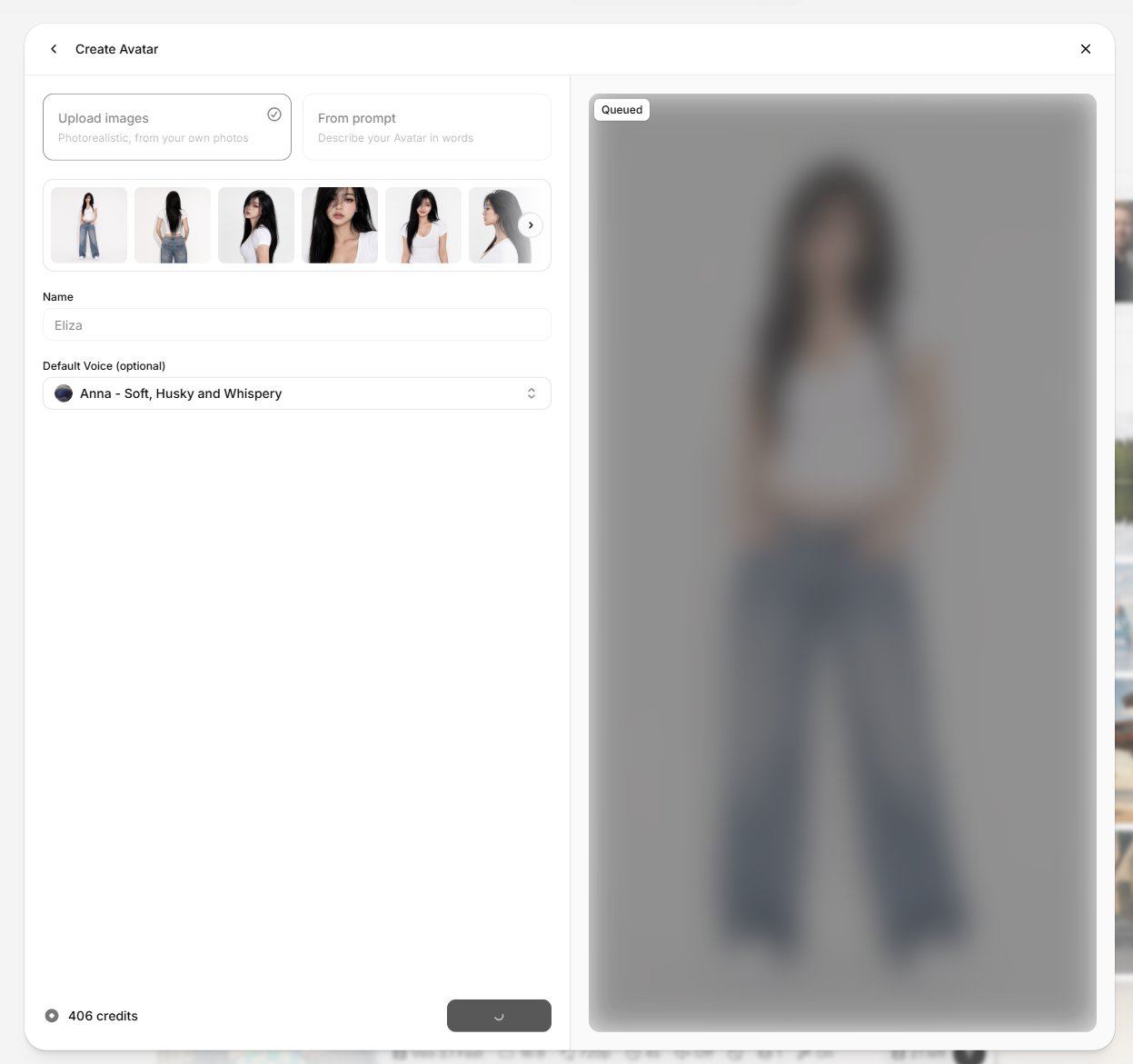
Next, at the top of the page, you’ll see the “Avatars” section—select “New+.” In the creator, select “Upload images,” then upload all 6 reference photos.
Choose a name for your character and select a voice from a very extensive list of realistic voice recordings in virtually every language. After selecting all options, click “Create Avatar” and wait for the final result.
Step 4
Go to the ElevenLabs homepage; in the menu on the left side of the page, select “Image & Video.”
Next, at the top of the page, you’ll see the “Avatars” section; select “View all,” choose your avatar, and then click “Create Video.”
Sample prompt: The model walks up close to the camera, smiles, adjusts her bangs, then says, “Hey HTMCASH” before smiling subtly as she turns and walks away.
Negative prompt: Video with no background music. The model moves gracefully and with feminine poise. The camera remains stationary, with no zooms in or out. No captions in the video.
In my case, I used:
- Seedance 2.5
- 9:16
- 720p
- 9 sec.
- Audio: On
- On (Negative prompt)
- On
Result:
Congratulations! You’ve completed Lesson 1 and acquired a new skill. This is another step toward financial freedom.
Stay tuned for the next lessons!